
 18.03.2022
Rhino

- Accuracy needed to design, prototype, engineer, analyze, and manufacture anything from an airplane to jewelry. Compatibility with design, drafting, CAM, engineering, analysis, rendering, animation, and illustration software. Read and repair meshes and extremely challenging IGES files. Accessible so easy to learn that you can focus on design without being distracted by the software.
- - Fast, even on an ordinary laptop computer.
- - No special hardware is needed.
- - Development platform for hundreds of specialty 3D products.
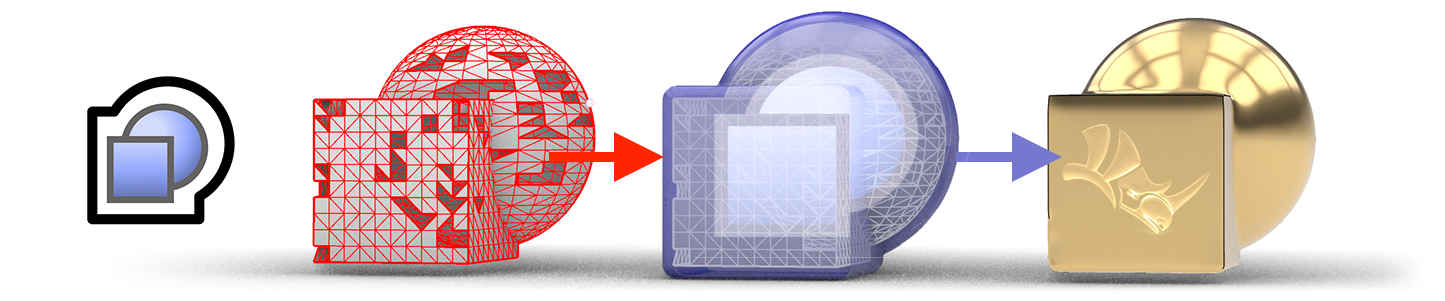
ShrinkWrap: Turn Any Geometry into a Watertight Mesh
ShrinkWrap creates a clean, watertight mesh around open or closed meshes, NURBS surfaces, SubD bodies, and point clouds. Ideal for preparing complex assemblies for 3D printing, simulation, and CNC workflows where a single manifold mesh is required. Control offset distance and mesh density for optimal results.

SubD Creases: Precise Organic Modeling
SubD Creases introduce controllable sharpness between smooth and sharp edges on SubD objects without adding loops to the control polygon. This enables fillet-like transitions and hard industrial lines within a single SubD body, streamlining complex product and automotive design workflows.

PushPull, Gumball & Auto CPlanes
Grab any surface face and extrude or retract it interactively with PushPull. The enhanced Gumball widget adds new grips for extending and extruding. Auto CPlanes automatically align the construction plane to your current selection accelerating every modeling step.
Core Modules
|
Modeling & Geometry
Full set of NURBS, Mesh, SubD, and point cloud tools:
|
Rendering & Presentation
High-quality visualization tools built directly into the modeling environment:
|